



Document automation becomes useful when every document has a clear next step. Some can proceed after checks; others need a person to resolve uncertainty. Designing that exception queue early helps a finance or administration team see what work will remain, who will own it and whether the proposed automation will fit the existing approval process.
Separate three different decisions
Extraction asks what a document appears to say. Validation asks whether the extracted values meet the business's rules. Approval asks whether an authorised person or policy permits the next action. Keeping these decisions separate makes it easier to explain why a document stopped and to change one part of the workflow without weakening another.
AI may be useful when documents arrive in varied layouts or language. Rules remain useful for explicit conditions such as required fields, arithmetic and duplicate identifiers. The DTA's pre-work guidance recommends comparing AI with non-AI alternatives and distinguishing the parts suited to traditional software. It is government guidance, but the design question applies equally to a business workflow.
For AI document processing, begin with a defined document type and destination. An invoice intake process has different risks from filing correspondence. Agree which fields matter and which actions the system may take before considering how much can run automatically.
Make the review queue actionable
A useful exception contains the original document, the field or rule that needs attention, and the proposed next action. A generic failed status forces the reviewer to repeat the entire job. Keep missing information, extraction uncertainty and business-rule failures distinguishable so the right person can resolve them.
Missing fields: identify the required value and whether staff should request a replacement document.
Inconsistent values: show the extracted total and the arithmetic or reference check that failed.
Possible duplicates: present the matching reference and original record for comparison.
Sensitive changes: keep bank details and other high-impact changes within an independent verification process.
Unfamiliar documents: route unsupported layouts or types for assessment before extending the workflow.
Microsoft's Document Intelligence transparency note recommends testing real business documents and calibrating confidence thresholds for automated processing or human review. Its example threshold is illustrative. A score is an estimate from that service; it does not establish that a payment is correct or authorised.
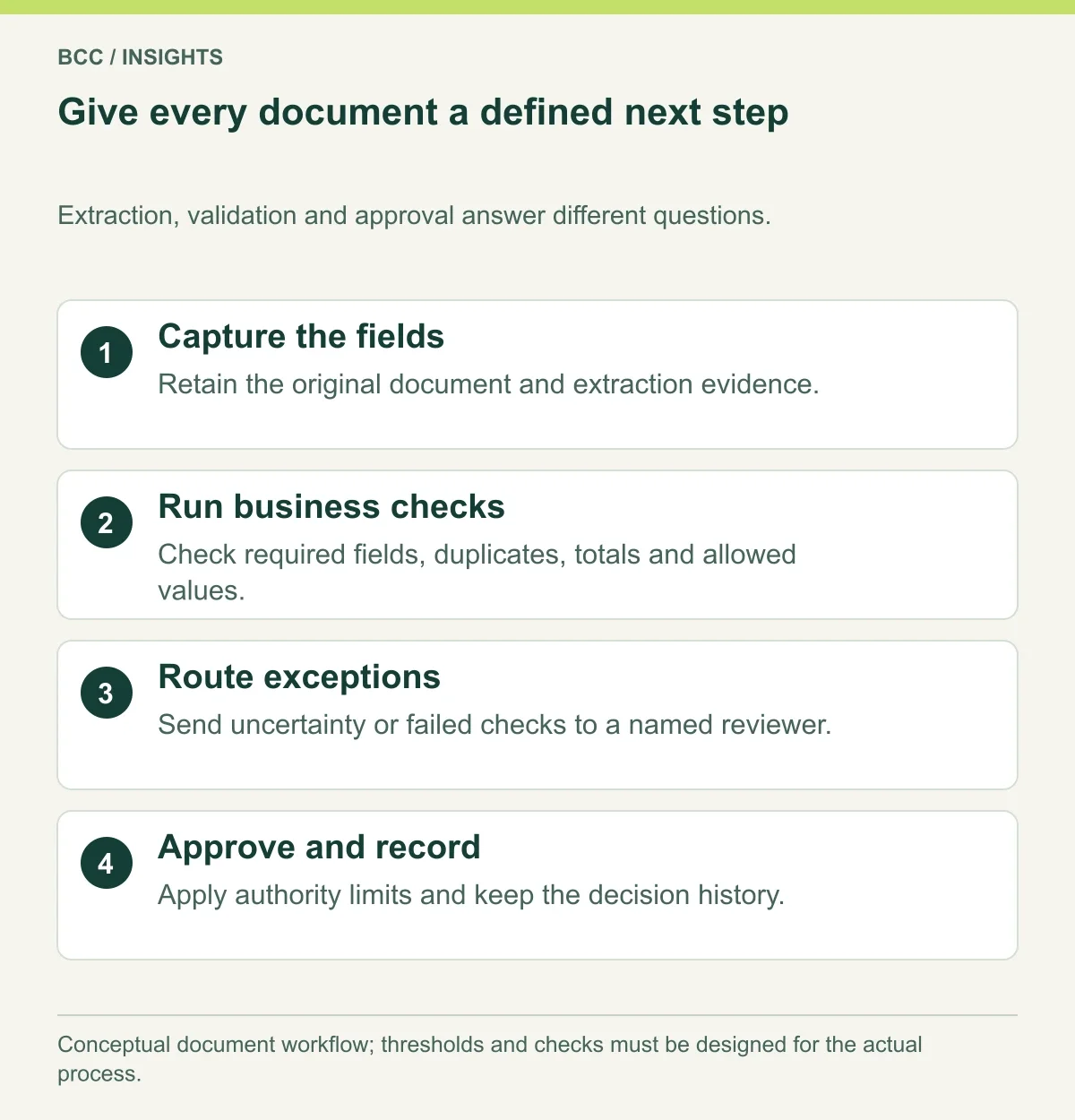
Give every document a defined next step. Conceptual document workflow; thresholds and checks must be designed for the actual process.
Follow one invoice through the process
Consider a fictional building supplies distributor receiving an invoice with an unfamiliar layout. Extraction proposes a supplier name, invoice reference and total. The duplicate check finds no matching reference, but the line items do not reconcile with the proposed total. The document enters the finance review queue with those values and the source image visible.
The reviewer identifies a credit adjustment that was missed, corrects the record and records the reason. The invoice then follows the distributor's normal approval route. If the document also requests new bank details, that change follows a separate verification process. This worked example defines behaviour; it does not claim an achieved accuracy rate or time saving.
Measure the workload left behind
Set an expected review response time and an escalation owner for overdue items. Include the person who can resolve supplier questions, so a technical extraction problem does not conceal an unresolved business decision.
Evaluate complete documents and important fields against checked reference data. Track the frequency and reasons for exceptions, the time reviewers spend resolving them and errors that escape into later work. A high volume of processed pages can coexist with an overloaded review queue. Include difficult scans and incomplete forms in the sample so the assessment reflects normal intake.
Agree who can change validation rules and thresholds, and retain enough decision history to investigate a disputed record. When a supplier changes its layout, test the affected cases again. Plan queue cover for staff absences so unresolved documents do not quietly become a new bottleneck.
BCC's AI process automation and AI integration services can help map these handoffs into existing systems. Bring representative documents, the destination fields and your approval rules. We can help define an exception workflow and evaluation plan before connecting document extraction to operational actions.
Sources
DTA: Statement 9 — Conduct pre-work — Parent AI technical standard last updated 2025-08-22; government requirements used as a design reference.
Microsoft: Document Intelligence transparency note — Last updated 2026-02-27; product-specific guidance, with illustrative rather than universal confidence thresholds.
Editorial date: 15 September 2026, assigned for this retrospective Insights series. Prepared and sources checked on 30 October 2026. Updated 30 October 2026.