

MSPs and service providers
Create a repeatable Fabric and reporting offering across customers, combining central administration with a branded experience for each audience.
Microsoft Fabric acceleration & reporting

Turn your Fabric investment into a governed, branded experience for the people who use it. Emplyr brings implementation acceleration, Power BI reporting and estate administration together for business teams, MSPs and channel partners. Explore the right deployment with BCC, your Emplyr distributor across Australia and New Zealand.
Your local product conversation.BCC · Channel partner & distributor · Australia & New Zealand
The business opportunity
Delivering analytics involves more than building a dashboard. Data preparation, workspace administration and access decisions all shape whether people can use the result. Emplyr adds a common implementation and management layer around Microsoft Fabric, with reporting organised for each audience. Partners can reuse that foundation across customers; organisations can give departments and group companies a consistent way to reach their information. Fabric and Power BI remain the underlying data and reporting platforms.
Inside Emplyr
Explore the capabilities that matter to your environment and the services you deliver.
See it in a demoEmplyr's metadata-driven framework reuses supported source-handling patterns, data layers, business identities and semantic measures. This gives delivery teams a starting point for repeatable implementations while leaving room for customer-specific requirements.
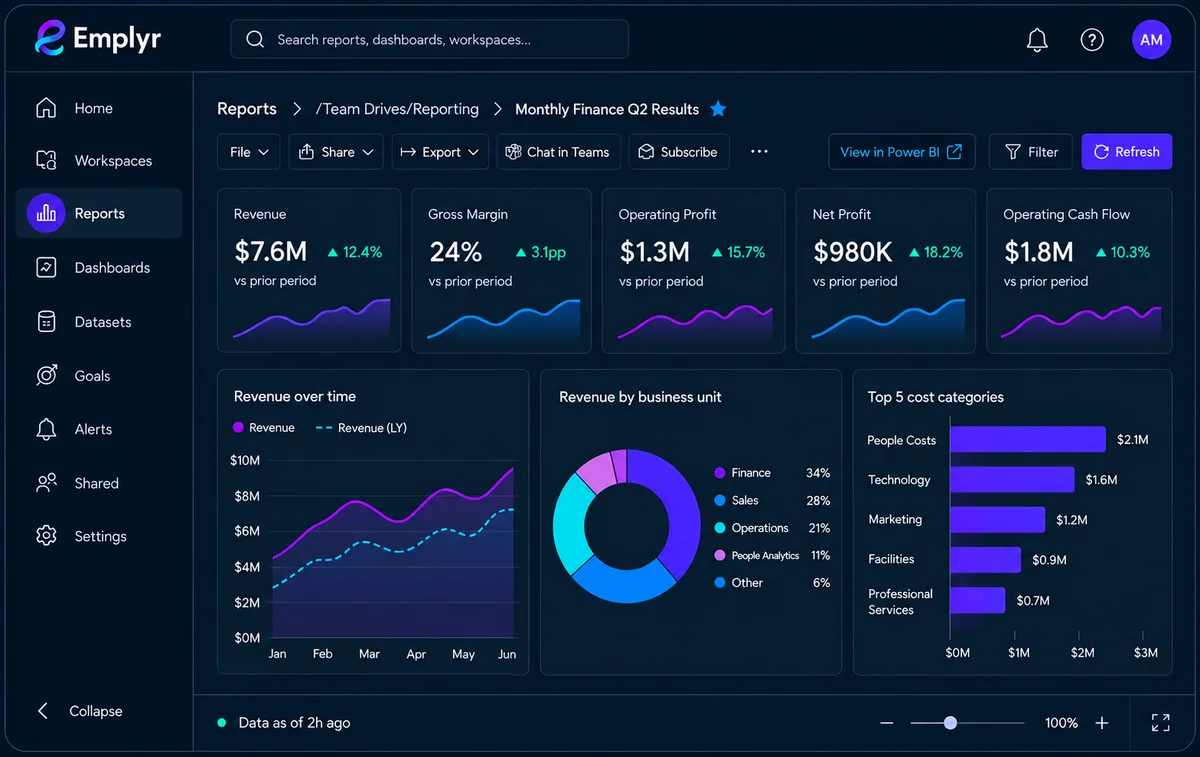
Bring authorised reports into a white-labelled experience with your branding and custom domain. Profiles help customers, departments and business roles find relevant reporting without commissioning a separate portal for each audience.
Organise people through profiles, roles and permissions. Report access determines which reports a person can open; Power BI semantic-model row-level security determines the data they can see within them. Both need deliberate configuration.
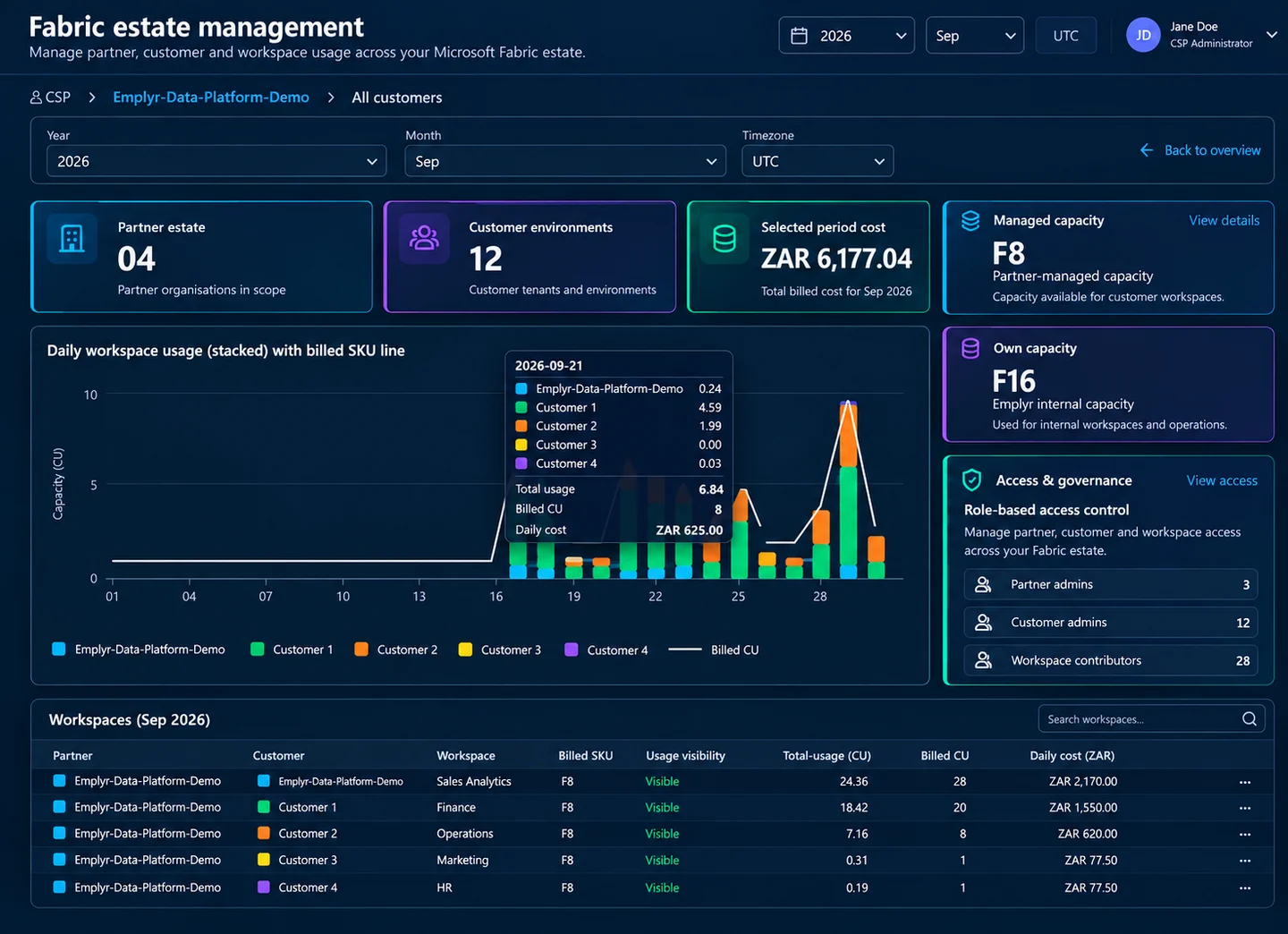
Bring your own, partner and customer capacity into a central administration model. Workspace usage and customer context help teams understand demand and discuss capacity choices across a growing portfolio.
The optional Process Intelligence Hub connects trusted Fabric Lakehouse data with configured processes, assignments and record enrichment. Teams can capture operational updates and return enriched information to their data foundation.
Built for the channel
As your customer base grows, each environment adds capacity, access and reporting decisions. Emplyr brings those concerns into a common management experience so your team can maintain customer context across the estate.
Reuse customer, workspace and reporting administration across deployments. Configure the hierarchy and delegated permissions for your organisation's responsibilities.
Present reports through your brand and domain, with navigation and profiles suited to the people your service supports.
Review workspace consumption alongside customer information. Confirm sizing, billing units and commercial inclusions for the agreed deployment.
Where it fits
Use these scenarios to start a practical conversation about product fit.
Create a repeatable Fabric and reporting offering across customers, combining central administration with a branded experience for each audience.
Explore a managed-capacity or existing-capacity route with BCC, then shape the customer solution around reporting outcomes, delivery responsibilities and access needs.
Bring finance, operations and executive reporting into relevant profiles across departments or group companies, including audiences using different email domains.
Provide authorised online reporting on mobile and tablet. Add configured Process Intelligence Hub workflows where people need to capture or enrich operational information.
Plan the right setup
An effective rollout starts with the data, audience and capacity you have today. BCC can help you explore Emplyr for your organisation or customer offering across Australia and New Zealand.
Assess an existing eligible Fabric environment or explore Emplyr-managed capacity. Confirm workload requirements, source readiness and the commercial model before selecting a route.
Map customers, workspaces and profiles, then configure branding, report permissions and data security. Confirm tenant connections and any direct Fabric access separately.
Start with a reporting audience or operational process. Validate data, capacity and user access, then extend the agreed pattern as further requirements become clear.
A little more detail
Have a specific requirement? We can bring the right people into the conversation.
Ask about EmplyrEmplyr works with both platforms. It adds reusable implementation patterns, administration, governed reporting and a branded experience. Microsoft capacity, licensing and the readiness of your source data remain part of the solution.
In an eligible app-owns-data embedded deployment, viewers do not need individual Power BI licences to use the embedded reports. Direct Power BI service access and user-owns-data embedding follow different rules. Authoring requirements, capacity costs and workload limits still apply; confirm the intended deployment before making a licensing decision.
Emplyr supports a bring-your-own-Fabric route for eligible environments as well as Emplyr-managed capacity. Confirm capacity suitability, workspace setup and source readiness during scoping. An authorised application connection alone does not establish commercial activation.
Emplyr describes daily usage assessment with reservation-based pricing for its managed-capacity offer. The agreed terms determine billable units, minimums and inclusions. Daily assessment is separate from invoice frequency; request deployment-specific commercial details from BCC.
Emplyr supports central administration of customer and partner environments, with customer-specific workspaces, users, profiles and reporting. The hierarchy and delegated permissions are configured for the deployment, so they should be mapped to your service and support responsibilities.
Power BI report viewing requires connectivity. The optional Process Intelligence Hub can support offline participation for selected configured content, such as downloaded assignments or forms, with synchronisation after connectivity returns. Offline process participation and online reporting are separate capabilities.
For ANZ resellers & service providers
Help your clients get more from their technology. Build the next opportunity with BCC.
Talk to us about your customers, a product demonstration and reseller options across Australia and New Zealand.
Explore the vendor’s product information:
Features and availability depend on vendor plans and terms. Cost outcomes depend on your environment, usage and licensing. Product names and logos belong to their respective owners.