



A website redesign can improve how customers find and understand your services, but changing page addresses introduces another set of decisions. Existing URLs may appear in search results, bookmarked pages, brochures, emails and other websites. If those entry points stop working, customers can lose their place even when the new navigation is clear. Include URL handling in the brief before the new site structure is finalised.
Separate visual changes from address changes
A new layout does not automatically require new URLs. Decide which addresses need to change because content is being consolidated, renamed or reorganised. Google's explanation of site moves distinguishes changes to infrastructure from moves that change URLs. That distinction helps define the migration work alongside the design work.
During website redesign, give someone responsibility for the migration map and someone responsibility for approving content destinations. Keep it as a shared working document. The designer, content owner and developer need the same answer to what happens when a visitor follows an old service-page link.
Build a map from evidence
Collect addresses from the current content management system, sitemap, analytics, server logs and available search reports. Include important PDFs, images and campaign pages where their addresses will change. An automated crawl can help, but it may miss an unlinked page that still receives visits from an email campaign or another website.
Retain: keep the address when the page still serves a clear purpose.
Replace: map the old address directly to a relevant new page when its location changes.
Consolidate: confirm that the new page meaningfully covers the material being combined.
Remove: agree a deliberate response for content that has no appropriate replacement.
Review: assign an owner to unresolved destinations before launch.
Google's current migration guide recommends mapping old URLs to their new destinations and using server-side permanent redirects where possible. It warns against sending many unrelated old pages to the home page, which can confuse visitors and be treated as soft 404 errors. Relevance is a content decision as well as a technical configuration.
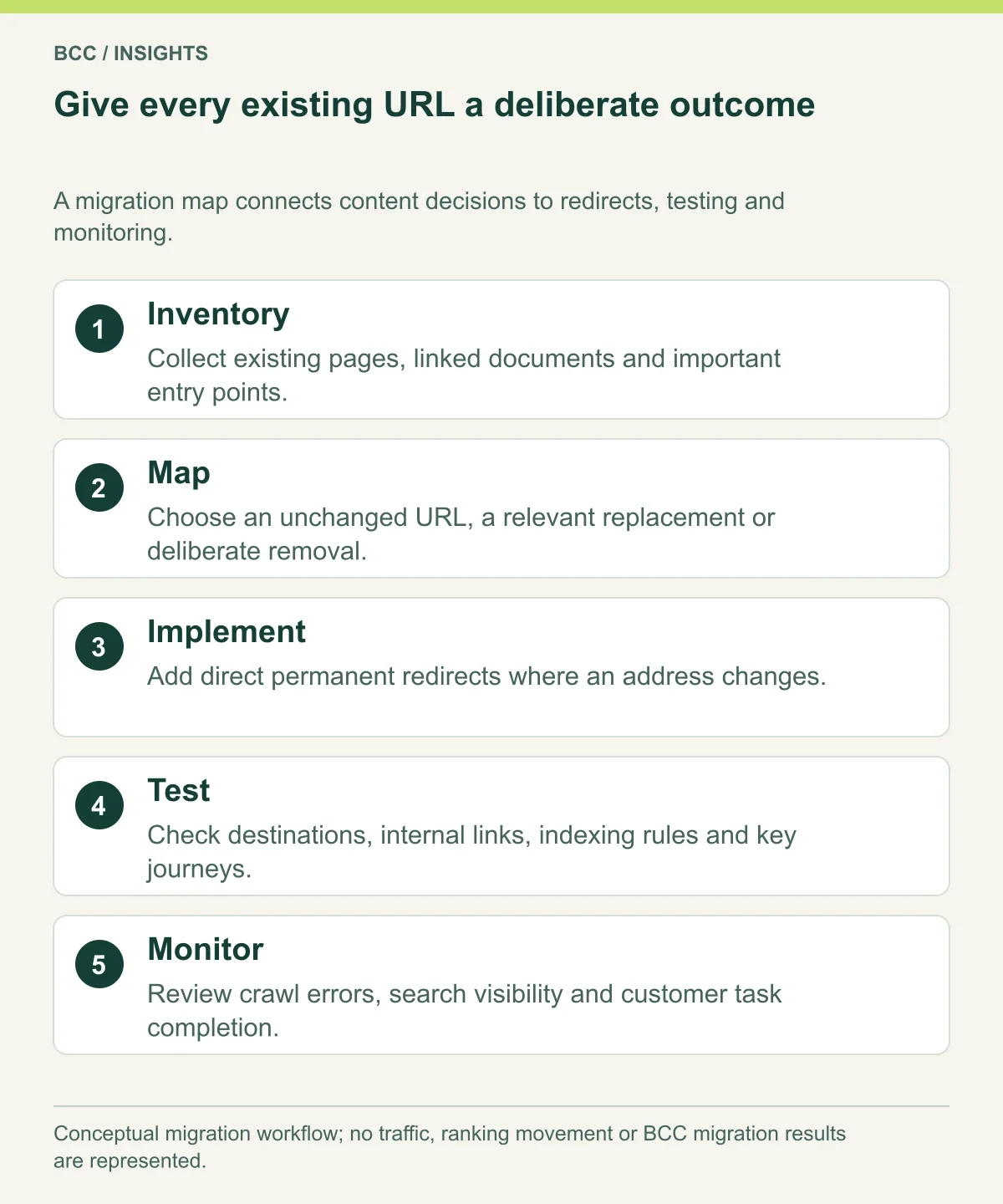
Give every existing URL a deliberate outcome. Conceptual migration workflow; no traffic, ranking movement or BCC migration results are represented.
Test the destination, not just the redirect
For each changed address, check the response and the final page. A working redirect to the wrong service is still a poor journey. Avoid chains where an old address redirects through another obsolete address before reaching the current page. Update the website's own navigation and content links so visitors can reach the intended destination directly.
A migration in WordPress website development also needs clear ownership of redirect rules across plugins, hosting settings and any delivery network. Record where the rules live and which team maintains them. Otherwise, future edits can create competing instructions that are difficult to diagnose.
Check canonical references, sitemap addresses and any indexing restrictions used on the staging website. Confirm that launch settings allow intended public pages to be indexed. Test navigation, forms, downloads and contact paths from old entry URLs as well as from the new home page.
Work through one hypothetical page
Imagine a business consolidating separate payroll setup and payroll support pages into a single payroll services page. The content owner checks that the new page actually explains both services. The developer then directs each old address to that relevant page and updates internal links. A customer arriving from an older email can still find the information they expected.
If a discontinued service has no equivalent, directing its old page to an unrelated offer may mislead the visitor. The team should choose an honest removal or explanatory content decision. This is a hypothetical mapping exercise; it makes no claim about BCC's traffic, search rankings or migration results.
Plan the period after launch
Google advises keeping redirects generally for at least a year and acknowledges that search visibility can fluctuate while a move is processed. Treat those points as planning guidance, not a promise that rankings will remain unchanged. Preserve access to the old domain where relevant, and assign responsibility for the redirect configuration.
Review search reports, error logs and enquiry paths after launch. Investigate unexpected missing pages and compare changes with the site's normal seasonal pattern before drawing conclusions. Bring your proposed navigation and current sitemap to a discussion about website maintenance and support. A clear migration map makes the redesign easier to check and maintain.
Sources
Google Search Central: Site Moves and Migrations — Updated 2026-08-20
Google Search Central: Making site moves easier — Published 2014-06-06
Google Search Central: Best practices when moving your site — Published 2008-04-16; historical support for page-level redirects only
Editorial date: 23 September 2026, assigned for this retrospective Insights series. Prepared and sources checked on 30 October 2026. Updated 30 October 2026.